Winedering offers a streamlined booking flow tailored to the needs of travel intermediaries.
In this section we'll see how you can book the experiences on the B2B platform.
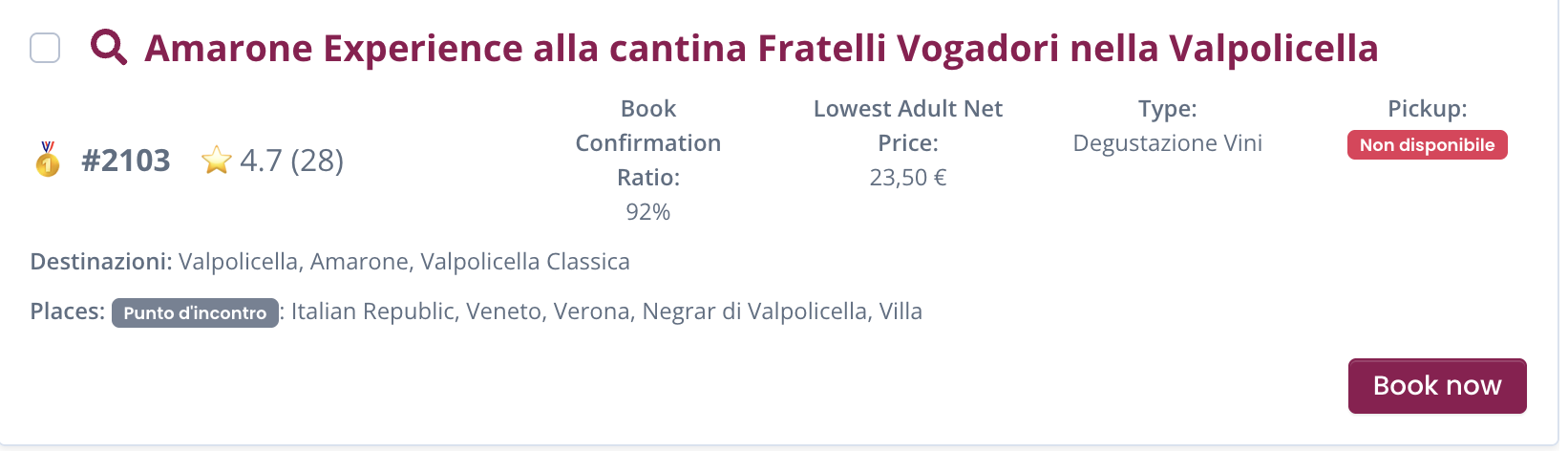
Book now button
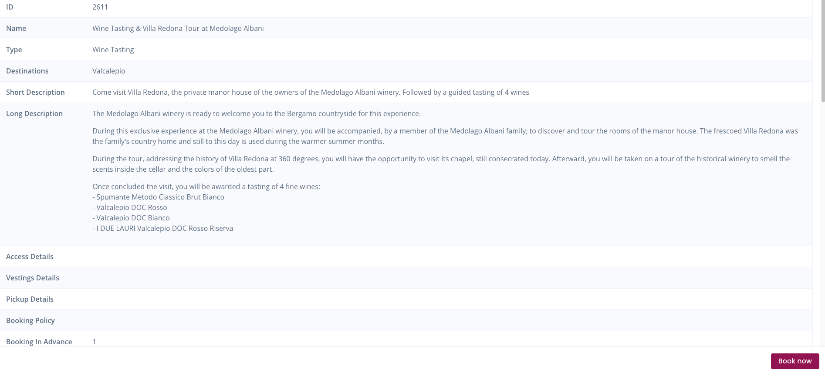
The book now button can be found both on each line of the experiences search page and within each single experience detail
Select details
First step to do when you click on "book now" is select the dates you've chosen for your customers.
Choose time: you'll find the slots available and bookable for that specific date
Calendar are constantly updated by Winedering suppliers. However for a majority of them calendar is not to be intended as real time availability. This means that when you proceed to booking, the booking will go under the status of "Waiting for supplier confirmation" (check below).
Processing time of reply is within a few hours.
Choose language: you'll be able to select languages available for that date, slot and experience.
Number of participants: Here you can list the number of pax, including children.
If you do not find the detail for children rates, you can add the information within the booking notes. The supplier will receive the request.
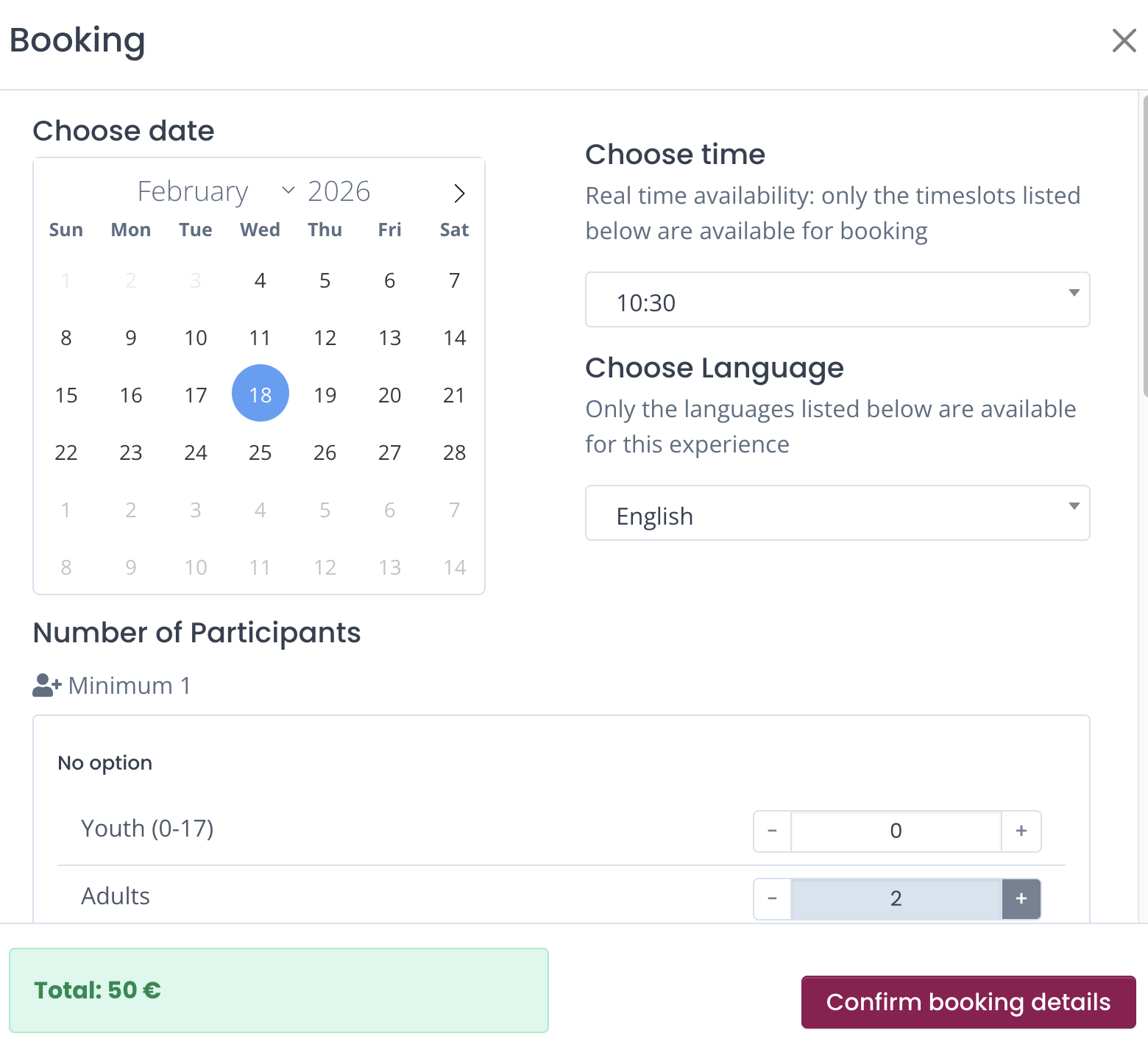
The total price you can see under the recap information will automatically adapt when you change the number of participants.
Please note: when you are using the dashboard as an affiliate on a commission based system, you'll also see the exact commission under the total amount.
Additional booking information
For every booking you have the opportunity to add specific details and information
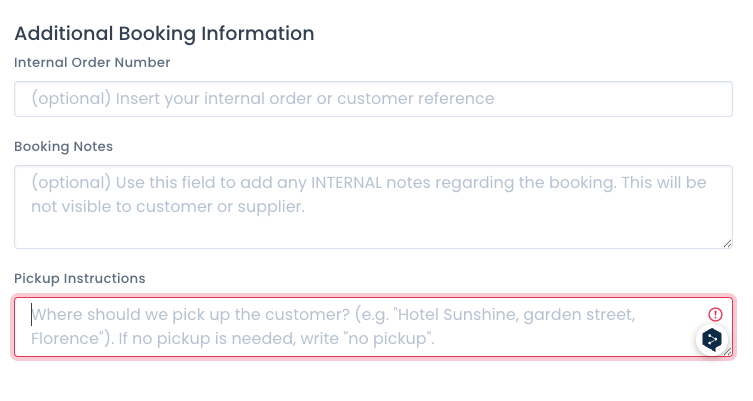
Internal Order Number: this is an optional feature that allows you to insert your company booking code / reference to guarantee you'll be able to search for it in a faster way in your "manage bookings" section
Booking notes: this booking note page is intended exclusively for your internal use: this will NOT be visible to neither the supplier or the customer.
Your information
For each booking you find a recap of your company profile.
End customer information
Here you must insert details regarding the customer: name and surname of the customer are mandatory.
Email and mobile phone number are not mandatory. If you insert them, supplier would be able to get in touch with the customer for any further assistance required.
Pick up info for wine tours
Only for food and wine tours including a pick up option, in this section you'll also find the details you have to insert for the pick up. This is a mandatory field.
Customer information for supplier
Here is where you can add all the information that the supplier needs to know about the booking and the customer. Allergies, specific requests, logistics aspect and anything you think could be relevant for the supplier to know in order to guarantee the best experience.
Confirm booking details
If all the information are set and correct / approved, you can click on Confirm Booking Details
Make sure you have set all the proper information before Confirming booking details. After you've clicked on the confirmation, you cannot modify the experience. This means that if you made a mistake or forgot something you need to redo the booking from scratch.
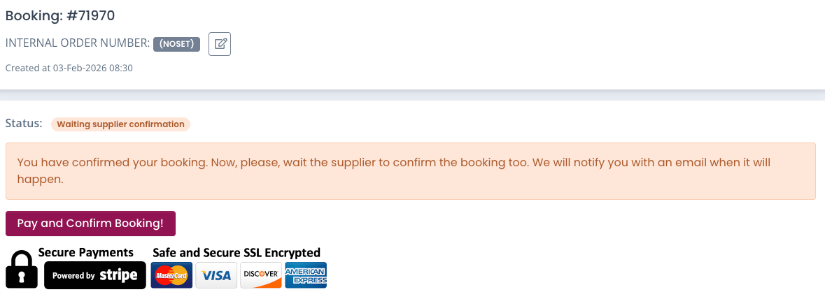
Once you've clicked on the Confirm booking details button, the stage of the booking will be "Waiting for Customer Confirmation". This means that you have to complete the booking. No reservations are guaranteed at the moment.
Note: You are not paying yet! You are simply guaranteeing your seats with a credit card pre-authorization via Stripe. You have a limited time (usually 59 minutes) to complete this step.
Booking stages on Winedering
When booking an experience on Winedering it's important to remind you the different stages of the bookings:
Waiting for customer confirmation: You're all set to proceed with the booking payment, but you have not inserted your card details yet. At this stage no reservation request has been activated. You can validate the booking by inserting the credit card within 59 minutes.
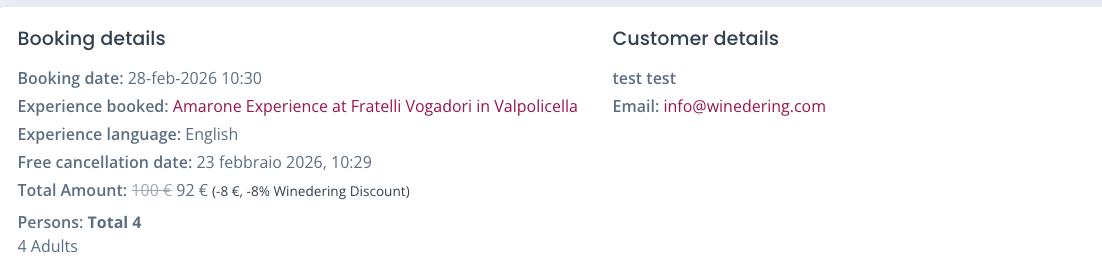
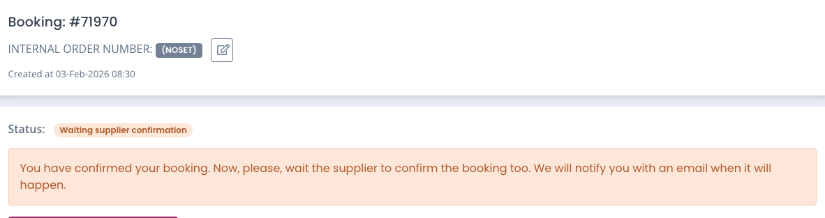
Waiting for supplier confirmation: You have authorized the payment with your cc and the supplier has been notified immediately for the confirmation request. At this stage reservation is not confirmed yet. You will receive an email for the final confirmation.
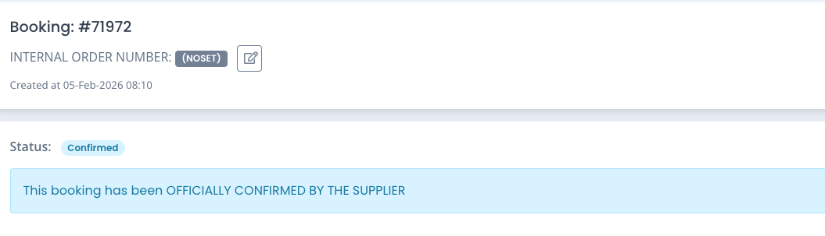
Confirmed: Reservation is confirmed by both you and the supplier. This stage can appear after the waiting for supplier confirmation or immediately after the prepayment is authorized (only for experiences that have automated confirmation set)
Completed: the experience has taken place.
Canceled by the client: You have cancelled the booking. You can cancel the booking at any time. Each booking has its own cancellation policy applied by the supplier and visible in the booking recap.
Canceled by the supplier : if a supplier has the need to cancel the reservation, you'll be notified via email.
Rejected by the supplier : if a supplier has to reject your request, you'll be notified via email.
Rejected due to no reply by the supplier : if a supplier does not reply on time (72h max) to your request, cancellation will be automatically generated and you'll be notified
Cancellations may occur from time to time. This is why our team will support you in case of cancellations to suggest you alternatives and to find the best solution.
Pay and confirm booking
You click here and proceed to the pre-payment of the booking. When booking you have 2 options: Book now or Book Now, Pay Later.
Payments can be done exclusively with credit card.
Book now
Book the experience by inserting your credit card.
When paying you have 2 alternative scenarios for the reservation:
Confirmed
: this happens when the supplier has set an automated confirmation booking flag in our system. This is frequent with suppliers that have calendars integrated with their channel manager on winedering.com. In this case booking is confirmed and you'll see all the recap information details (knowledge here
)
Waiting for Supplier confirmation
: Most of the time suppliers need to doublecheck the request in order to approve it and confirm it. You will be notified via email as soon as the supplier confirms the reservation.
If the reservation is confirmed you'll receive and email of confirmation and see the status in CONFIRMED.
If the supplier has to reject it you'll receive a specific notification with the booking automatically cancelled. No money will be taken out from the credit card.
Book now, pay later
This feature is visible exclusively for experience bookings made more than 90 days in advance and with a total cart value greater than €100.