Once you have applied your filters, the platform will show you a list of available experiences.
This section will help you understand how to read the results and how to identify the best options for your customers.
Here's how your results will appear:
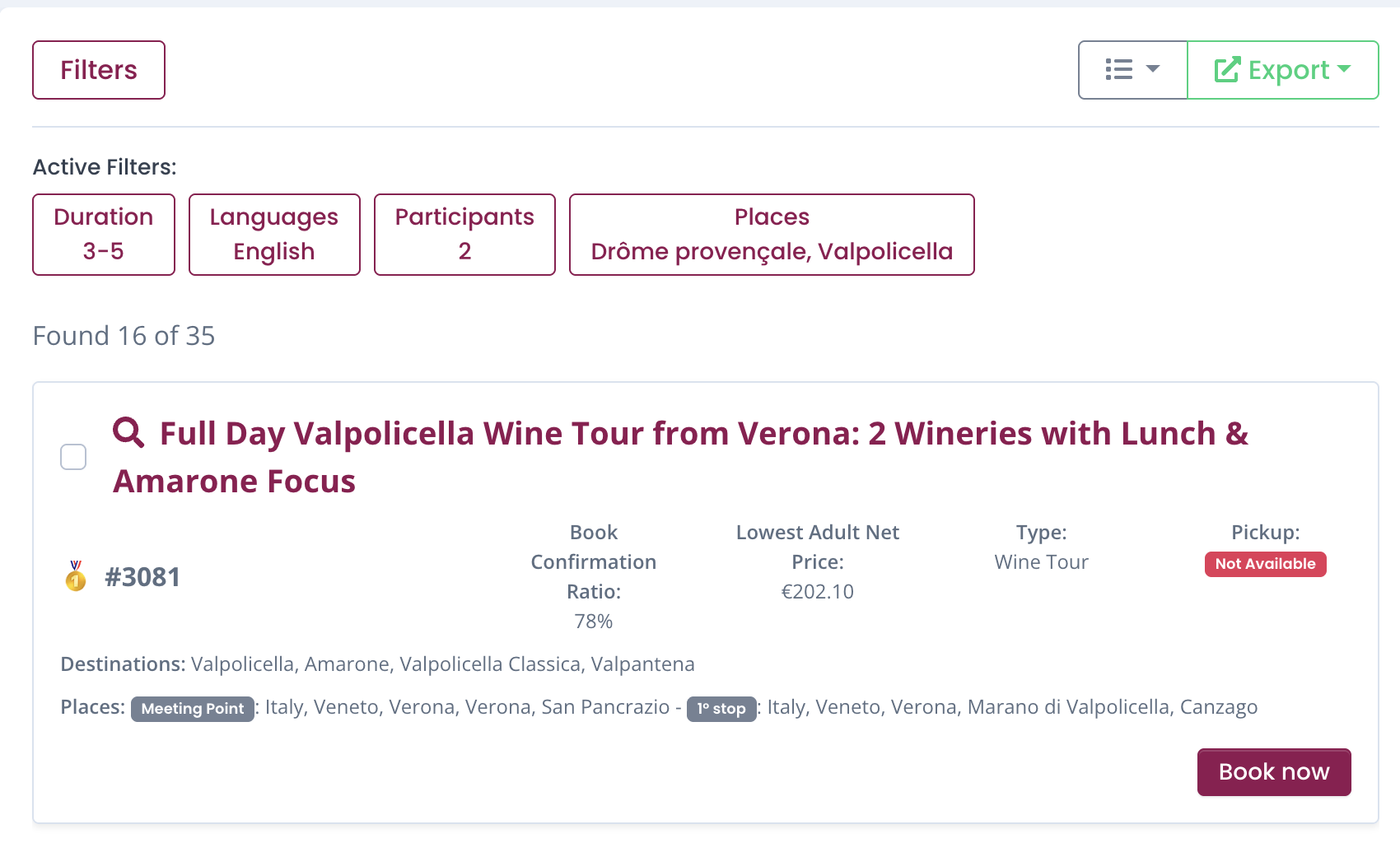
Active filters
The recap of the filters you used for the research. Remember you can always clear filters or go back and change them according to your needs. Active filters help you keep track of the criteria used for your search and allow you to quickly adjust them if needed.
List of experiences
If results are found, the system will give you the exact number of results available. If the number of results found exceed 16, the system will list your experiences starting from the first 16, according to "Winedering ranking"
Winedering Ranking
The order of the experiences you find is based on a rankin evaluation created by Winedering.
Reviews
The best and most trustable components of our ranking are the real reviews made by winedering customers on that specific experiences. Not only does the system consider the sum of the reviews obtained by that supplier, but it also evaluates them according to the date of the review, in order to guarantee that you can find the best supplier with the best and most recent (therefore more trustable) reviews.
Booking Confirmation Ratio
This system is an internal Winedering algorhithm that allows us to establish how trustable the supplier is with us and our customers. A higher booking confirmation ratio means a more reliable supplier and a smoother booking process for you and your customers.
You may find experiences with (or without reviews) with "Not Enough Data" in the book confirmation ratio. This does NOT mean that the supplier is not trustable; it may imply that we have not had a sufficient number of reviews or bookings yet, as we do always increase the number of our suppliers

We're proud to say that NO experiences are listed first thanks to ads or commercial agreements. Winedering exclusive goal is to make your customers live the experience of a lifetime.
When you find a relevant number of results, the Winedering Ranking will give you the top 3 solutions.
When available, the top 3 experiences are highlighted with a medal to help you quickly identify the most reliable options.
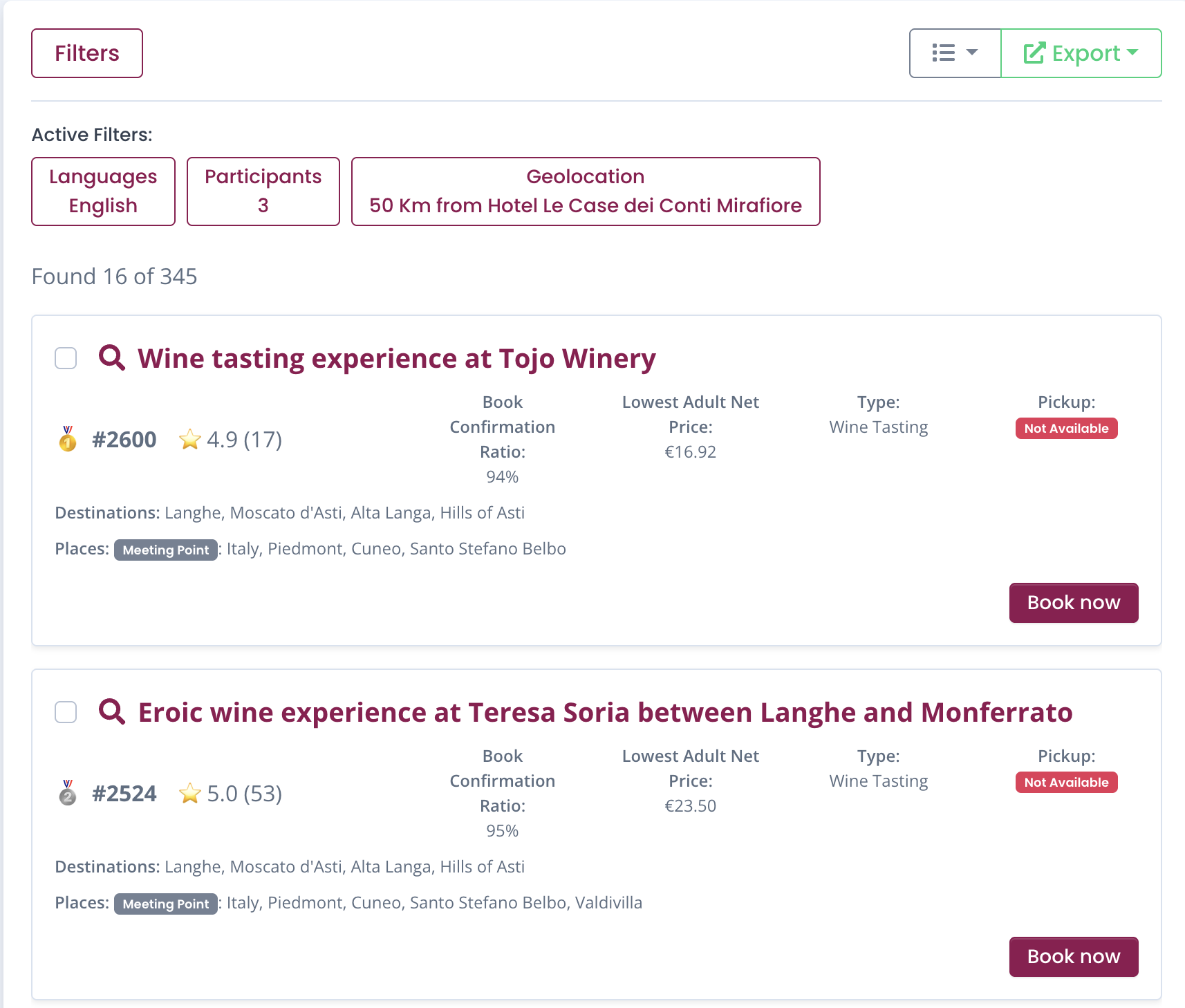
Let's see now how the experiences appear.
Each experience card contains all the key information you need to quickly evaluate whether it fits your customer’s needs.
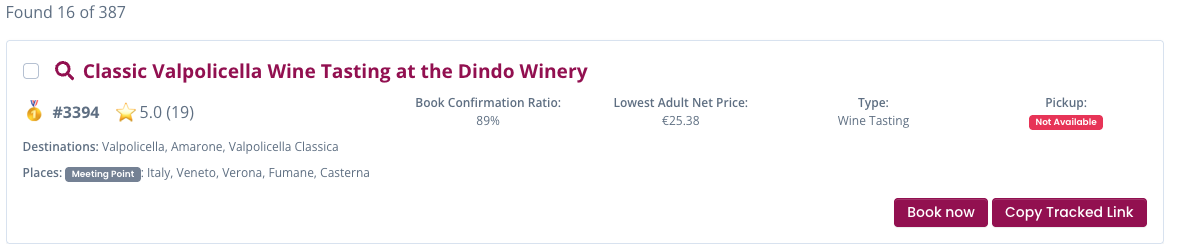
Title
The title is in bold and it includes all the main introductory information of the experience.
# ID Experience
Every experience on Winedering has its own ID. This is the "Winedering Experience code", it is not your internal code.
Book confirmation ratio
The evaluation of the reliability of the supplier.
Important information
Here below you'll now see how RATES appear. We remind you that you can choose among 2 ways of working with Winedering:
-
Mark-up: In this case you're going to see the rates you're going to pay to Winedering that you can always markup according to your policies.
-
Commission system: in this case you're going to see the public rates and the commission included for you for that specific experience.
Adult Net Rate
This is the rate you're going to pay. The rate indicated is the one correspondent to the agreement established with Winedering. In case the experience has different options and different rates, you'll see the range available from the minimum to the maximum amount.
In order to see the exact rate for your request you can open the experience and see the specific rates.

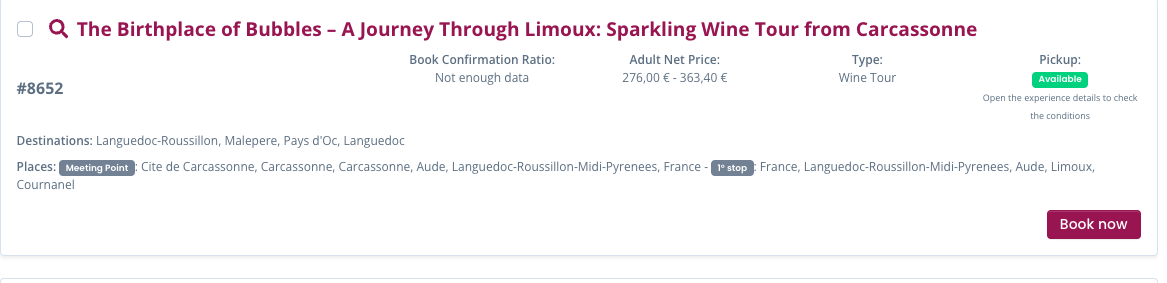
When you open the experience you'll be able to see the exact rate including the difference with the public rate
Commission System
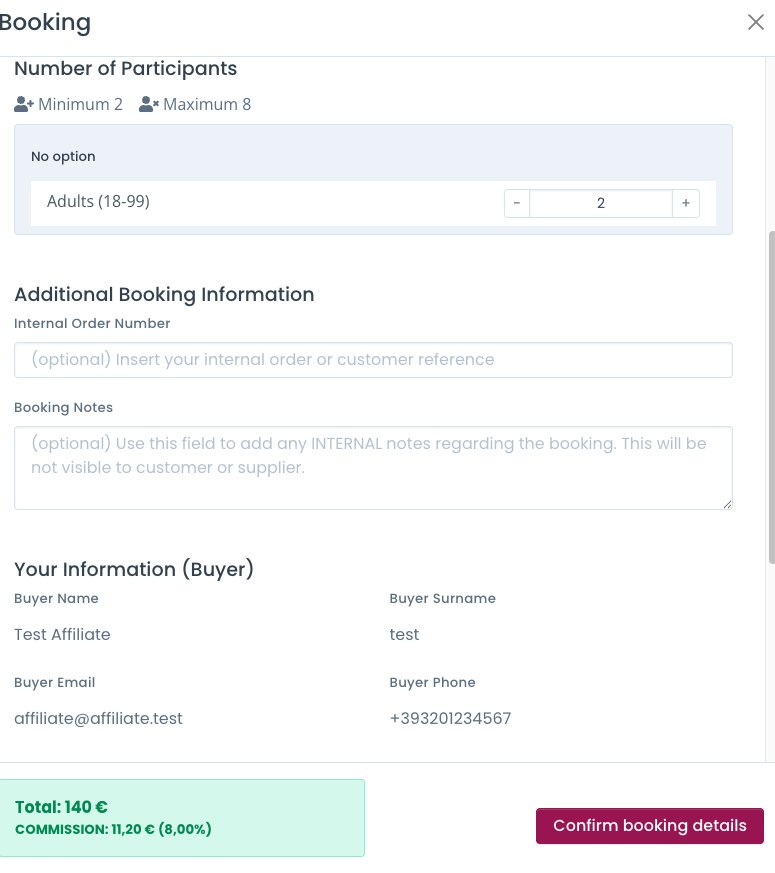
If you're working with Commission system agreement, you'll be able to see the rates with the information of the commission included for that specific activity.

When you click on BOOK NOW and see the details, the price you'll see will also indicate the total commission.
Type
The experience can be a Wine tasting or a Wine Tour.
Wine tastings are intended as one single activity; Wine Tours are a combination of at least 2 elements (walking tour and tasting, pick up/drop offs and tastings. etc)
Pick up
Suppliers can provide transfers for the experiences. As a result you'll be able to see if pick up is available (green) or not (red)
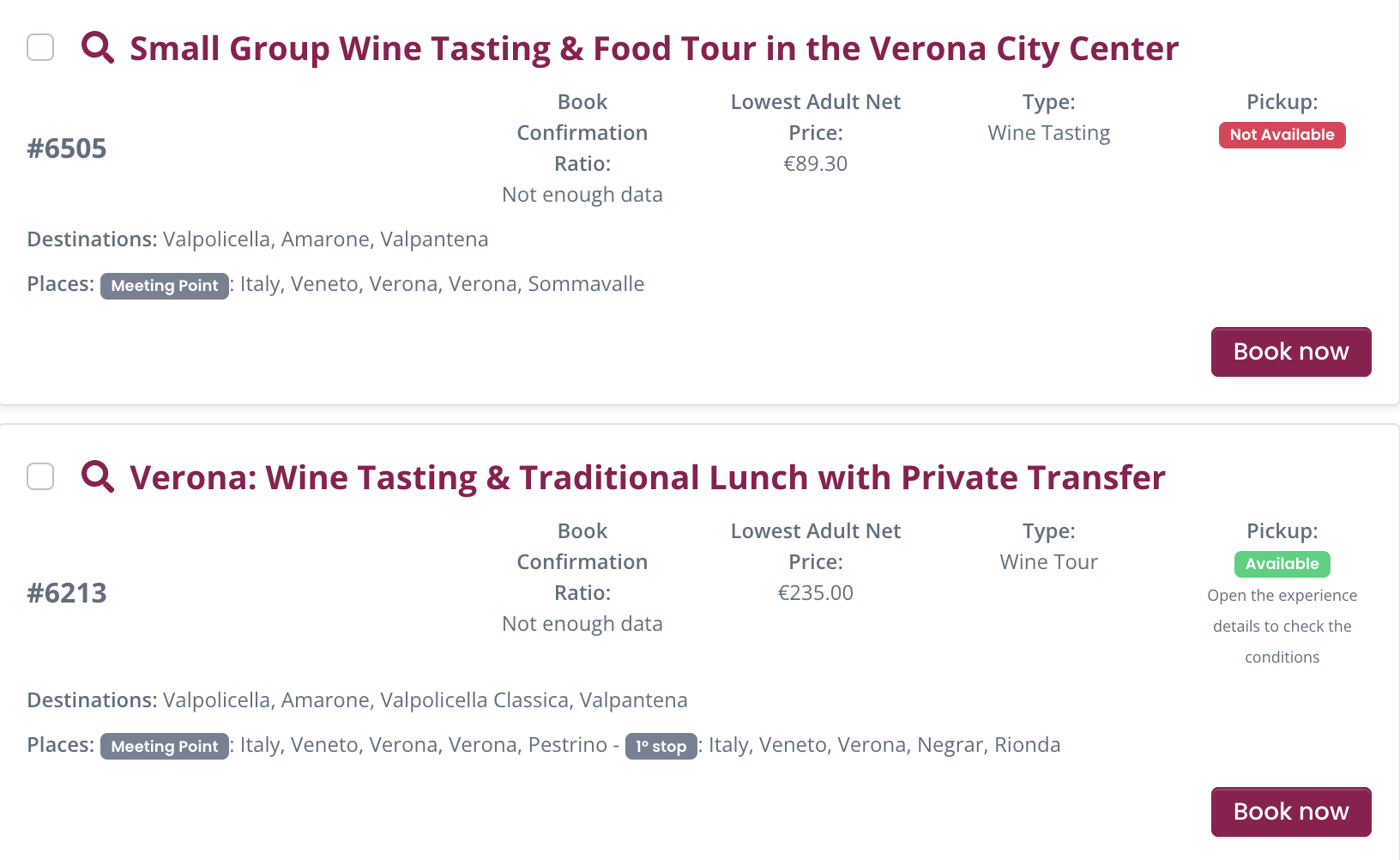
For Wine tours PICK UPS can be NOT Available: this does not mean that the tour does not include transfers, but that tours depart from a MEETING POINT.
Destinations & places
The system labels the one or more famous or wine destinations where the experience takes place
Physical locations where the experience takes place. If there's a tour you'll find both the meeting point and the various stops included.

The export Button
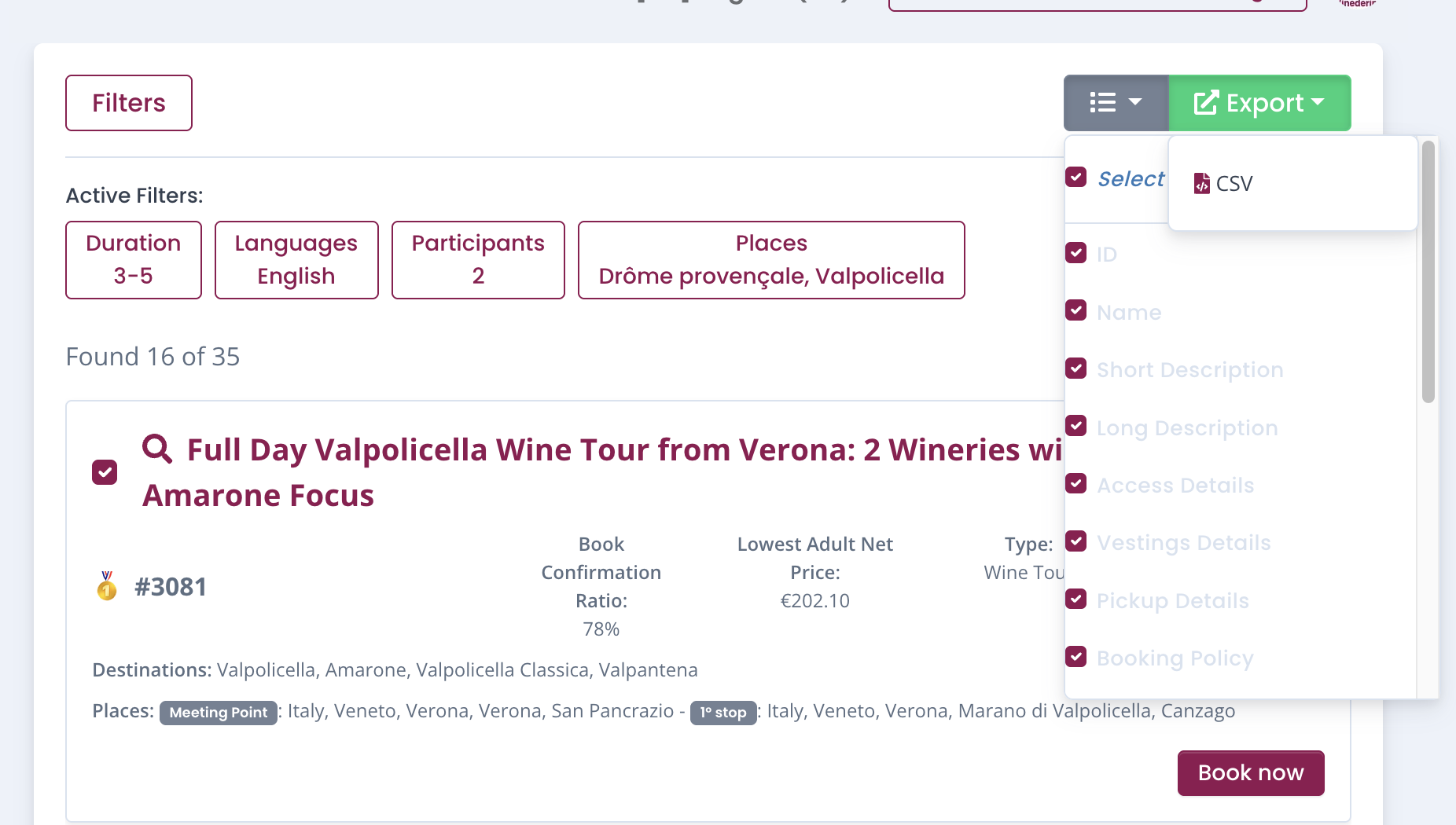
For every experience you will find the opportunity to flag it (button close to the title). You can click on one or more experiences. Once you've completed your listing you can export those experiences through the export Button on the top right side of the dashboard.
The export button will allow you to download those experiences into a CSV file where you'll find all the main information related to the experience, including the ID. You can also choose and select what information you want to have in the CSV.
Ready to book?
After you've analyzed and chosen the best experience to book, you can proceed to the next step and book the experience.
You may find experiences with (or without reviews) with "Not Enough Data" in the book confirmation ratio. This does NOT mean that the supplier is not trustable; it may imply that we have not had a sufficient number of reviews or bookings yet, as we do always increase the number of our suppliers
We're proud to say that NO experiences are listed first thanks to ads or commercial agreements. Winedering exclusive goal is to make your customers live the experience of a lifetime.
When you find a relevant number of results, the Winedering Ranking will give you the top 3 solutions.
When available, the top 3 experiences are highlighted with a medal to help you quickly identify the most reliable options.
Let's see now how the experiences appear.
Each experience card contains all the key information you need to quickly evaluate whether it fits your customer’s needs.
Title
The title is in bold and it includes all the main introductory information of the experience.
# ID Experience
Every experience on Winedering has its own ID. This is the "Winedering Experience code", it is not your internal code.
Book confirmation ratio
The evaluation of the reliability of the supplier.
Adult Net Rate
This is the rate you're going to pay. The rate indicated is the one correspondent to the agreement established with Winedering. In case the experience has different options and different rates, you'll see the range available from the minimum to the maximum amount.
In order to see the exact rate for your request you can open the experience and see the specific rates.
Type
The experience can be a Wine tasting or a Wine Tour.
Wine tastings are intended as one single activity; Wine Tours are a combination of at least 2 elements (walking tour and tasting, pick up/drop offs and tastings. etc)
Pick up
Suppliers can provide transfers for the experiences. As a result you'll be able to see if pick up is available (green) or not (red)
For Wine tours PICK UPS can be NOT Available: this does not mean that the tour does not include transfers, but that tours depart from a MEETING POINT.