How to see who made each booking with the Internal Order Number
If several people in your team book on the same Winedering account, the Internal Order Number field tells you who made each booking and links it to your own file. You write it when you book, you search it in the list of bookings and you can change it at any time.
1. Write your reference when you book
In the booking window, in the section Additional Booking Information, just before the Confirm booking details button, write your reference in the Internal Order Number field.
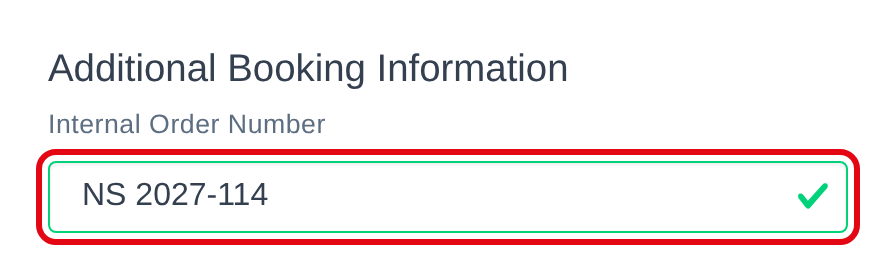
Agree on one simple rule in your team, for example your initials followed by your file number: NS 2027-114. This way everyone finds their own bookings at a glance.
2. Find the bookings of one person
Open Manage Bookings: the Internal Order Number is the first column of the list. Type the initials in the box under the column title and press Enter. The list shows only the bookings whose reference contains them.
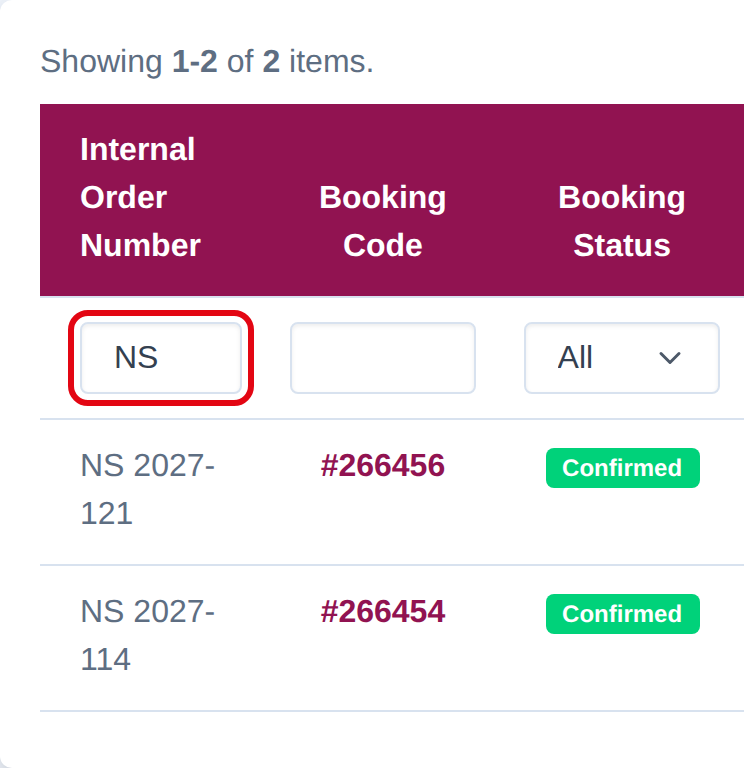
The search works with any part of the reference, for example the file number alone.
3. Change it later
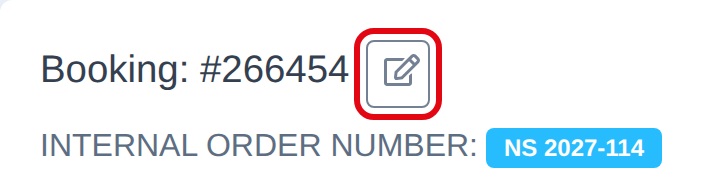
Open the booking with the eye icon or the booking code. The reference is under the booking number: click the edit button next to the number.
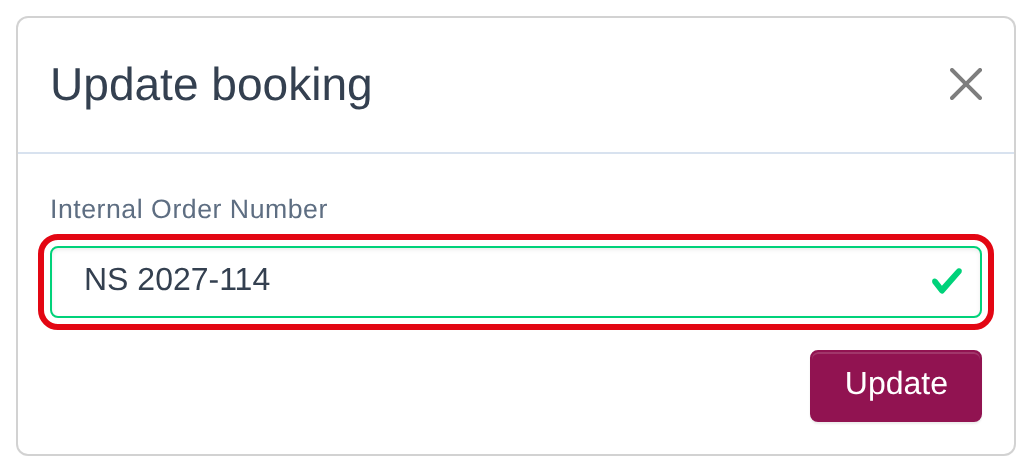
Write the new reference and click Update. You can do it at any time, also after the booking is confirmed or completed.
Good to know
- The Internal Order Number is for your team only: the customer and the supplier never see it.
- The field is optional, but a booking without it cannot be found by person. Write it every time.
- If your team needs a different way to work, write to us: we can study it with you.
See also: